
What Does a Cricut Machine Do? A Complete Guide to Cricut in 2026
This post may contain affiliate links · This blog generates income via ads

If you’ve ever wondered “what does a Cricut machine do?” you’re not alone. As someone who’s been crafting with Cricut machines since 2016 and has helped thousands of DIYers through my tutorials, I’m here to break down exactly what these versatile cutting machines can accomplish for your creative projects.

My Cricut machines are some of my favourite tools in my craft arsenal. I get lots of questions about my Cricuts whenever I feature one in a DIY blog post or a video. Whether it’s making personalized gifts, vinyl decals, unique home decor or clothing, my Cricut machines can do it all!

What Does a Cricut Machine Do? The Quick Answer
A Cricut machine is a smart cutting tool that cuts over 300 different materials including paper, vinyl, fabric, leather, wood veneer, and more. Think of it as a computer-controlled craft knife that can create intricate designs, letters, and shapes that would be nearly impossible to cut by hand.
Here’s what a Cricut machine does in simple terms:
- Personalizes items with custom text, images, and designs
- Cuts materials with professional precision
- Creates custom designs from your computer or phone
- Makes crafting faster by automating the cutting process
- Enables complex projects that require detailed cuts
Watch my video on What is a Cricut
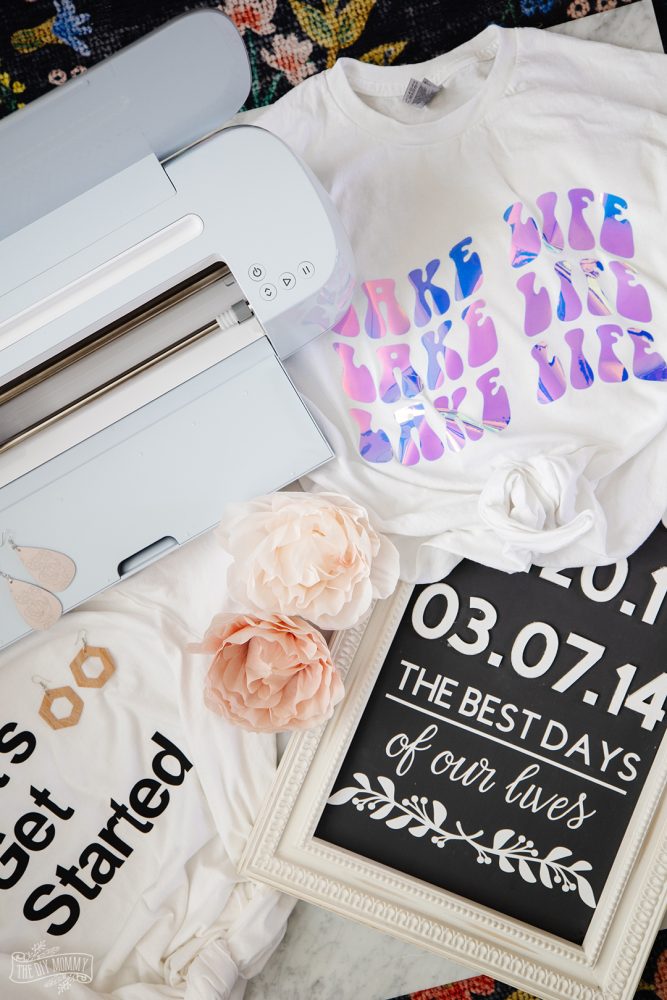
12 Amazing Things a Cricut Machine Can Do
1. Custom Vinyl Decals and Stickers
Create personalized decals for cars, laptops, water bottles, and home decor. I’ve made everything from family name signs to organizational labels using my Cricut.
2. Iron-On Designs for Clothing
Transform plain t-shirts, tote bags, and accessories with heat transfer vinyl (HTV). Perfect for family matching shirts, team apparel, or personalized gifts.
3. Paper Crafts and Card Making
Cut intricate designs for greeting cards, scrapbook pages, and party decorations. The precision cuts make professional-looking results achievable for beginners.
4. Home Decor Projects
From wall art to seasonal decorations, a Cricut can cut materials like wood veneer, faux leather, and specialty papers to create stunning home accents.
5. Fabric and Sewing Projects
Cut precise fabric pieces for quilting, appliqué work, and no-sew projects. The rotary blade makes clean cuts through cotton, felt, and other textiles.
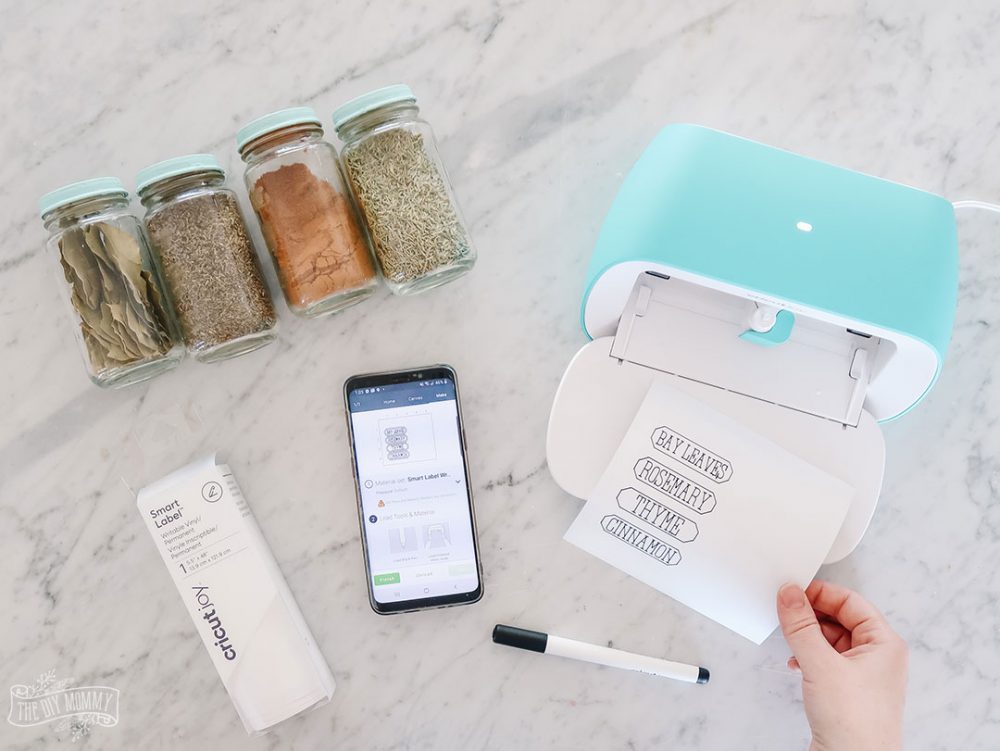
6. Organization Labels
Create custom labels for pantry containers, file folders, storage bins, and more. I use mine constantly for home organization projects.
7. Party and Event Decorations
Design custom banners, cake toppers, place cards, and centerpieces. Perfect for weddings, birthdays, and holiday celebrations.
8. Personalized Gifts
Make one-of-a-kind presents like custom photo frames, engraved keychains, or monogrammed mugs that recipients will treasure.
9. Business and Branding Materials
Create professional-looking business cards, logos, product labels, and promotional materials for small businesses or side hustles.
10. Educational and Kids’ Projects
Cut out letters, numbers, and shapes for learning activities, classroom decorations, or interactive educational games.
11. Leather and Faux Leather Crafts
Make custom keychains, bookmarks, earrings, and small leather goods with precision cuts that look professionally made.
12. Write and Draw Designs
Using special pens, your Cricut can write calligraphy, draw illustrations, or add finishing touches to cut projects.

How Does a Cricut Machine Actually Work?
Understanding what a Cricut machine does starts with knowing how it operates:
Step 1: Design Creation
Using Cricut’s free software called Cricut Design Space, you create or select a design on your computer, tablet, or smartphone. You can:
- Choose from thousands of pre-made designs
- Upload your own images and fonts
- Create original designs using built-in tools
(Yes, you need an internet connection to use this machine!)
Step 2: Material Preparation
You place your chosen material (paper, vinyl, fabric, etc.) on a cutting mat that’s specifically designed for that material type.
Step 3: Machine Setup
Load the appropriate blade or tool into your Cricut machine. Different materials require different blades for optimal cutting.
Step 4: Cutting Process
Send your design wirelessly vooa Bluetooth from Design Space or with the included USB cable to your Cricut. The machine uses a small, precise blade to cut your design exactly as programmed.
Step 5: Finishing
Remove your cut materials from the mat, weed away excess material if needed, and apply or assemble your finished project.
What Materials Can a Cricut Machine Cut?
One of the most impressive things about what a Cricut machine does is its material versatility. Here are some of the 300+ different types of material it can handle:
Paper and Cardstock:
- Copy paper, cardstock, parchment paper
- Specialty papers like glitter, foil, and textured varieties
- Tissue paper and crepe paper
Vinyl Materials:
- Adhesive vinyl (permanent and removable)
- Heat transfer vinyl (HTV) in various finishes
- Printable vinyl for custom graphics
Fabric and Textiles:
- Cotton, felt, fleece, and canvas
- Leather and faux leather
- Burlap and other specialty textiles
Specialty Materials:
- Iron-on transfers
- Thin wood and wood veneer
- Craft foam and foam sheets
- Magnetic sheets
- Stencil material

Which Cricut Machine Should You Purchase in 2025?
What a Cricut machine does for you depends on which model you choose. Here’s my expert breakdown:
Cricut Joy (Best for Beginners)
- What it does: Cuts materials up to 4.5″ wide
- Best for: Cards, labels, small vinyl projects
- Price point: Most affordable option
The Cricut Explore 4 (Most Popular)
- What it does: Cuts materials up to 12″ wide, includes Smart Materials capability
- Best for: Most home crafters and DIY enthusiasts
- Key feature: Fast cutting with wireless connectivity
Cricut Maker 4 (Most Versatile)
- Unique feature: Rotary blade for fabric cutting
- What it does: Cuts the widest range of materials including fabric, leather, and wood
- Best for: Serious crafters who want maximum capabilities
My favourite way to buy Cricut machines is to buy the bundles. You can get crafting right away with the included materials at a discount!
Can you use older Cricut machines?
If opting to purchase an older model, I still have favourites that I love! My top two would be the Cricut Explore Air 2 or Cricut Explore 3 (which I still use) and the Cricut Maker and Cricut Maker 3. All still function with Design Space, however you can’t use Cricut’s “Smart Materials” (the ones that don’t require a mat) with the older machines.
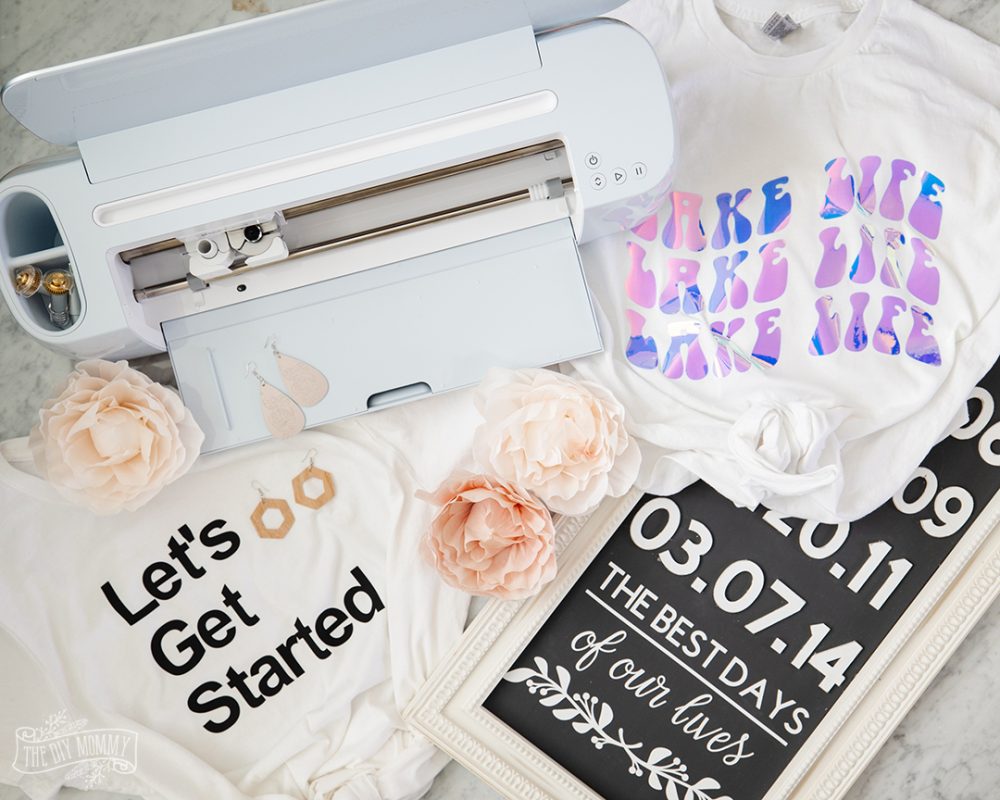
Real User Experience: What I Use My Cricut For
After 8+ years of using Cricut machines, here’s what I personally use mine for most often:
Weekly Projects:
- Organization labels for my home office and kitchen
- Custom vinyl for seasonal home decor updates
- Iron-on designs for family clothing and accessories
Special Occasions:
- Party decorations and personalized gifts
- Wedding and event materials for friends
- Holiday decorations and cards
Business Use:
- Tutorial props and examples for my content
- Branded materials for my DIY blog
- Custom stickers and promotional items

Getting Started: What You Need Beyond the Machine
To fully understand what a Cricut machine does, you need to know about essential accessories:
Must-Have Materials:
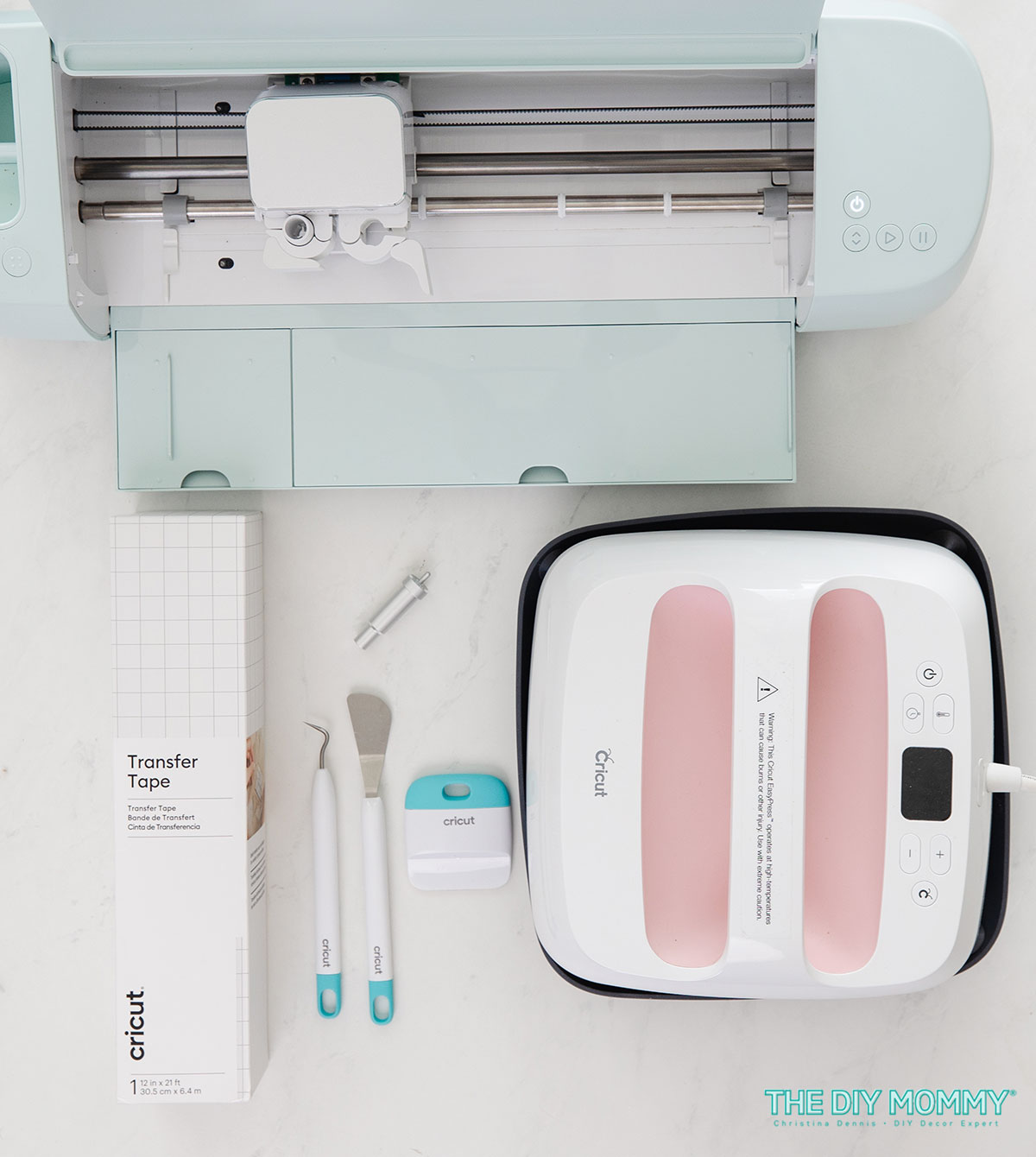
- Cutting mats (different types for different materials)
- Blades (the Fine Point Blade for almost everything, the Deep Point Blade for thicker materials, and the Knife Blade for even thicker materials)
- Weeding tools for removing excess vinyl
- Transfer tape for applying vinyl designs
- Basic materials like vinyl, cardstock, and HTV (Infusible Ink is fun to play with, too!)
Helpful Tools:
- Storage solutions for materials and tools
- Brayer for smoothing materials
- Scissors for trimming
- Cricut EasyPress for applying HTV

Cost Considerations: What Does It Really Cost to Use a Cricut?
Understanding what a Cricut machine does includes knowing the ongoing costs:
Initial Investment:
- Cricut machine: $179-$399++ depending on model
- Basic materials and tools: $50-100
- Total startup cost: $230-500
Ongoing Costs:
- Materials as needed: $10-30 per project typically
- Optional Cricut Access subscription: $9.99/month for premium designs
- Replacement blades and tools: $15-25 annually with regular use

Common Questions About What a Cricut Machine Does
Is a Cricut Worth It for Beginners?
Yes, especially if you enjoy crafting or want to start a creative side business. The learning curve is gentle, and the results look professional from day one.
Can I Make Money with My Cricut?
Many users start small businesses selling custom items made with their Cricut. Popular options include personalized gifts, vinyl decals, and custom apparel.
How Long Do Cricut Machines Last?
With proper care, most Cricut machines last 5-10 years or longer. I still have my original Cricut Explore Air 2 from 2016 and it works.
Do I Need Design Experience?
Not at all! Design Space includes thousands of ready-to-use designs, and I provide step-by-step tutorials on my blog to help beginners get started.
Do you have to pay $10 a month for Cricut?
No, you don’t have to pay a monthly fee to use a Cricut. Cricut Access, which provides extra features and content, is a subscription service that is a monthly fee. However, Cricut Design Space, the software used to operate the machine, is free to download and use.
Can I use mobile devices to design with my Cricut? An Android phone?
Yes, you can download the Cricut Design Space app onto your mobile device like your android phone and create designs from there. However, you’ll find a few more features and more ease of use on a desktop or laptop computer.
Can I cut licensed images, like Disney, with my Cricut?
You can, however you cannot sell items with licensed images unless you have a license to do so.

Is a Cricut Machine Right for You?
Now that you understand what a Cricut machine does, here’s how to decide if it’s right for your needs:
You’ll love a Cricut if you:
- Enjoy DIY projects and crafting
- Want to personalize gifts and home decor
- Appreciate precision and professional-looking results
- Like trying new creative techniques
- Want to save money on custom items
Consider other options if you:
- Only need occasional simple cuts (scissors might suffice)
- Prefer purely hands-on crafting without technology
- Have very limited storage space for materials
- Are looking for a completely maintenance-free hobby
Watch my video on how to use a Cricut for the first time
I’ve created a step-by-step tutorial video on how to set up a Cricut Explore Air 2 right from the box! Watch it below for a visual example of how to use a Cricut for the first time:
Cricut How-To Videos
Watching video tutorials is a wonderful way to learn how to use a Cricut. I have many Cricut video tutorials on my YouTube channel, and you can find them here. You can also find all of my blog posts with Cricut DIYs and inspiration right here. You can also find many helpful video tutorials on Cricut’s website here.
Are Cricut machines worth it?
After years of using these machines and teaching others, I can confidently say that understanding what a Cricut machine does opens up a world of creative possibilities. It’s not just about cutting, it’s about bringing your ideas to life with precision and professional quality that’s simply not achievable by hand.
Whether you want to organize your home with custom labels, create heartfelt personalized gifts, or even start a creative side business, a Cricut machine can help you achieve those goals efficiently and beautifully.
The key is starting with simple projects and building your skills over time. I recommend beginning with basic vinyl projects or simple paper crafts, then gradually expanding to more complex materials and techniques as you gain confidence.
Ready to get started? Check out my beginner’s guide to essential Cricut materials and browse my collection of easy Cricut project tutorials to begin your crafting journey.


Hi, I have a Cricut but have been very disappointed in that I live in Australia and as such can’t purchase anything from design space as they don’t have provisions say like PayPal to do so. I have had my Cricut for 2 years now and have only just been able to obtain a particular blade from our craft dealer (a big chain) as there is never much to chose from. Cricut keep saying they are hoping to open here but still haven’t. Please don’t misunderstand, I love the machnine but it makes it, as a beginner, very frustrating.
Thanks for sharing Julie – as a fellow Aussie just tyring to learn what I might buy that tips me to look at other options than the Cricut.
It’s not what I would make with it, its what wouldn’t I make with it?? Lol.
I’m crazy into wood signs this year.
The big “Welcome Summer” or “HOME” signs and heartwarming sayings for the wall.
Thanks for all the videos!
I watched the video and loved all your great ideas. I can’t wait to start crafting for the holidays. Thanks.
Thanks for all the info. It was very helpful 🙂
Your site is so ridiculously loaded with ads I couldn’t even read your content!! Refuse to scroll past all of them. Give it up.
Hi Julie,
Fast forward to January 2021 are/have you had any more luck re supplies? Am thinking of purchasing but if getting extras etc is problematic I’m not sure I want to outlay the money ?
Cheers
So is it useless for us to buy one in Australia ?
Hi Sophie, We’re from Canada and I see the comment above about having difficulty buying Cricut supplies in Australia, so I’m not sure but I have found Cricut support to be really helpful, so perhaps reach out to them directly to see what’s available in your country.
Thank you Sarah will do xxx
Want to know so much more.
Check out Christina’s YouTube Channel, Here’s a great video that talks about the difference machines: https://youtu.be/kJB2-4jpIZM
Can I use Cricut to make tags for my jewelry that I make and sell?? That would have my business name and contact info on it, and a border design??
You sure could!
Great. I want it.
Wonderful article. I looked for an article and jus t found yours by chance and it was a big help as I am thinking of buying one.
Hi!! Thank you so much for your review/blog about the Cricut machines. This was soooooo helpful and answered every question I could every possibly have!!
I’m trying to decide which machine to purchase. I obviously want to use vinyl, paper and card stock but I also would like to cut fabric for adding an Appliqué to masks. Which would be a better purchase for me? Thank you
For fabric, the maker is your best bet! If you weren’t cutting fabric, you could do the rest of it with the Air 2 🙂
Thank you so much! In your opinion, is there a retailer that is more reliable than others?
Can the Cricut be used to print on acetate or cut acetate (clear thin plastic)? I’m working with resin and would like to custom print or cut clear /printed acetate to set into resin? `I believe that one of the machines is able to etch vinyl which would be interesting too.
Hi and thanks for the great info! I’m wondering…if I find a tile design that I like could I creat a matching stencil with the Cricut? Thx again?
Yes, you could! Christina made a stencil for a door mat in this post but it would be a similar process: https://thediymommy.com/how-to-make-a-door-mat-with-a-cricut/
I have always wanted to buy one of these but never knew which one was best. My 11 year also has wanted me to buy one for a few years but I find them a little expensive for our budget. It is definitely on my Christmas/ birthday list
Do these only cut the material? Do you need other equipment to make the shirts?
The cricut cuts vinyl, which is what you’d use to iron on to your shirts 🙂
Just bought my daughter a new Cricut machine. Excited to see what we can do with it.
Ideal to be a craft mommy! Want to have one.
I would love to play with one!
I absolutely love this machine. I would make labels for my pantry, craft room etc… Signs for every occasion and then I would tackle my Mom and Sisters home…lol…now I just need to find it in South Africa…
Oh my goodness this is on my wishlist ! I’d make shirts, seasonal labels and prints, art, baby labels the endless possibilities!
This was a very helpful article .I’m thinking I could definitely find uses for it. I assume you would buy different blades for different materials. Thank you for sharing this info!
Hi-
I purchased some personalized mugs from a crafter & placed in the dishwasher- turns out it was some type of vinyl that was just glued to the surface- disaster,
,is there a permanent paint or something so that mugs can go in the dishwasher.
I make g-tube pads for my grandson, by hand, and the shapes suck so badly for him. I use 2 layers of cotton and 1 layer flannel and roughly 3×3. Could I use a Cricut to cut the cloth, and if so, which one would be best?
The cricut maker is best for fabric 🙂
Very detailed information! No wordy, no confufions. Thanks for your sharing!
Thanks for this informative video! And nice to see a fellow Canadian doing it! 🙂 I have been interested in what the heck the buzz is all about with the Cricut, so this was helpful. My question is regarding transfers that go on t-shirts and other to-be-washed fabric items. In the 90’s, local organizations went a bit mad with making their own tshirts with iron-on transfers. Sadly, the designs only lasted about three washes max. I love designing on shirts (I’ve done a few on Zazzle) but I would never want to give or sell a design that wasn’t going to last. Is the Cricut that much better than the old iron-ons?
You explained everything I needed to know. Thank you
HI
just want to know about the blade, do change it when it become dull? how do you create and cut a design which has multiple colors in it? do you need a ink like the printer?
Yes, you may to change your blade out depending on how much cutting you do and how often. For designs with multiple colours, if you’re talking about vinyl, each colour is cut separately 🙂
Helpful one! Thank You so much.
Hi … Thinking about purchasing a Circut … your page is very helpful. I would like to make labels to put on my Tupperware Modular Mates that go in my kitchen cabinets. Will the labels stick to the containers?
Yes! Cricut has both removable and permanent vinyl that you can use on plastic containers 🙂
Wow, I didn’t realize you could cut so many things with a cricket! One day I hope to buy one of these! Think of all the possibilities!! Thanks for the helpful info! Pinning!
How is the Circut with making logos for things??
If you’re talking about adding your logo to something like a mug, absolutely – it works well for that. Depending on your logo, some will be more difficult to cut / weed than others and it may take some practice 🙂
I can’t wait to try this. You make look like its user friendly. Thank you